
Just discovered a cool new site thanks to @placido on twitter. It’s called Blubbr and you  can take youtube videos and turn them into trivia “games” by adding questions. Makes videos into great listening activities.
And it couldn’t be easier!
 1) Search for a video (I would suggest finding one on youtube first and then copy and pasting the name of the video)
2) You can make each question have a 20 second clip. So at the end of a clip, the students will answer a question.
3) You add the question with 4 multiple choice questions. Keep adding as many questions as you want, choosing a different clip of the video by cropping a new section (part 2)
4) Click Done and share the link with your class!
Here’s a quick one I created in less than 10 minutes:
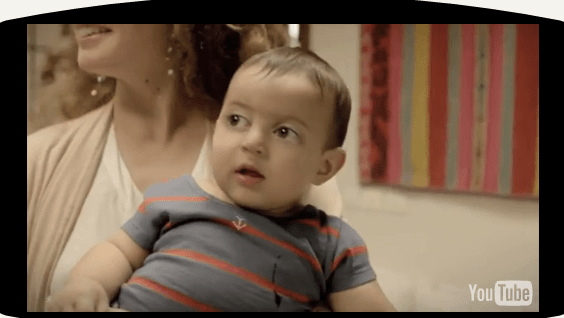
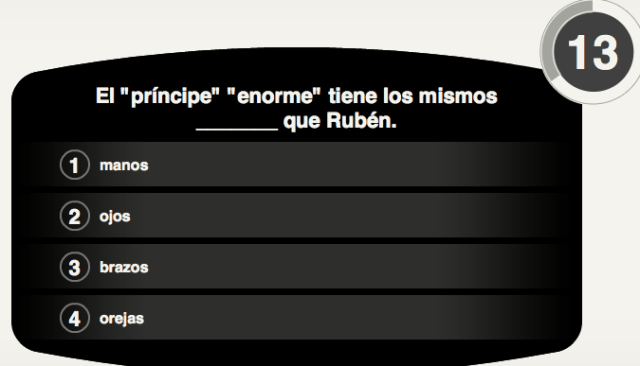
Watch a segment then answer a multiple choice question
Here’s the original commercial.
In many cases, I would recommend showing the entire video first to the class. Then I would show the blubbr version.
Here’s one that Kristy Placido made and shared:
https://www.blubbr.tv/game/index.php?game_id=19959&org=1
If you make your own, we’d love to start a collection of these for teachers to use. Put the link in the comments below!







 SpanishPlans.org
espectacularrrrrr! Me encantó! Justo a tiempo para mi unidad del cuerpo!
Wow. This is so cool. And the commercial is hilarious! Very creative lesson. Thank you for sharing! Also teach near Chicago!
This site looks awesome. We will have to give it a try soon! Thanks for sharing.:)
I can use this site just fine at home, but it won’t load at school :(. Any ideas? I was using Chrome and then I switched to firefox. No error message, just won’t load. I am terrible at tech stuff.
I would ask your tech department. Maybe it is blocked?